On this page
- What is a mobile app launch strategy?
- Why does a mobile app launch strategy matter?
- Pre-launch checklist: 8 steps before your app goes live
- Post-launch checklist: 7 steps to grow after release
- Mobile app launch timeline at a glance
- 8 mistakes to avoid before and after launch
- How much does it cost to launch a mobile app?
- Summing Up
- FAQ
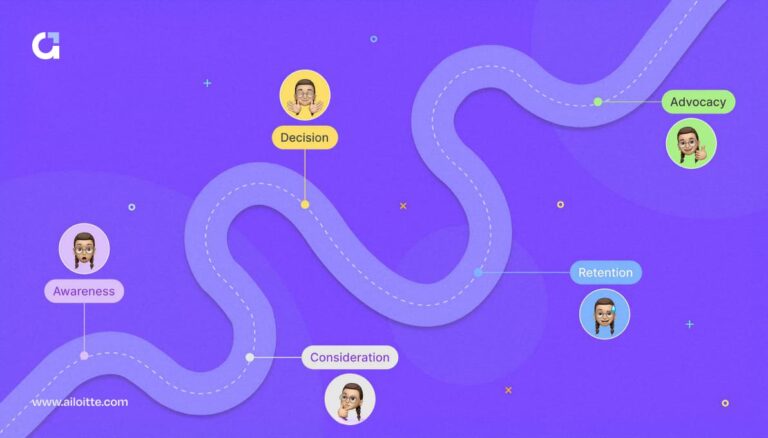
A mobile app launch strategy is the plan that takes your app from a finished build to an app people install, use, and keep. Shipping to the stores is only the start. What you do in the weeks before and after release decides whether users find your app and come back.
This guide gives you a 15-step app launch checklist for 2026. It covers audience research, this year’s store rule changes, beta testing, app store optimization, onboarding, and the metrics to track once you go live.
What is a mobile app launch strategy?

A mobile app launch strategy is a step-by-step plan for releasing an app on the Apple App Store and Google Play and growing its user base after release. It defines who the app is for and how people will hear about it. It also covers what must pass store review and which metrics will show whether the launch worked.
A complete strategy covers three phases:
- Pre-launch: research, positioning, store preparation, beta testing, and analytics setup.
- Launch: store submission, release, and the first marketing push.
- Post-launch: onboarding, engagement, performance monitoring, feedback, and updates.
An app launch checklist is the working version of that strategy. It turns each phase into tasks your team can complete and tick off.
Why does a mobile app launch strategy matter?
A mobile app launch strategy matters because users judge an app fast, and a weak first release is hard to recover from. Many users abandon apps within days of installing them; current day-1 and day-30 app retention benchmarks. A stable release with a clear value proposition and a smooth first session gives you a better chance of keeping the users you worked to acquire.
A launch strategy also protects your timeline. Rushing to hit a date often means skipped testing, store rejections, and bad early reviews that drag down your rating for months. Plan enough time for beta testing and store review.
If you launch in several countries, plan for local rules from the start. These include data protection laws such as the EU’s General Data Protection Regulation (GDPR), regional age ratings, and local payment rules.
Pre-launch checklist: 8 steps before your app goes live
The pre-launch checklist covers everything that must be ready before you submit to the stores. Start these steps 8 to 12 weeks before your target date.
-
Research your target audience and competitors
Audience and competitor research tells you who will use your app and why they would switch to it. Answer three questions before you write any marketing copy:
- Who is your target user, and what problem do they want solved?
- Where do those users spend time online, and what makes them install an app?
- What makes your app better than the apps they already use?
Read your competitors’ store listings and reviews. One-star and two-star reviews of rival apps show the gaps your app can fill.
-
Define your unique value proposition
A unique value proposition (UVP) is one sentence that explains why someone should choose your app over the alternatives. It should name the user, the problem, and the result your app delivers.
Your UVP shapes your store listing, ads, landing page, and onboarding screens. Test it with a few real users before launch. If they can’t repeat it back in their own words, simplify it.
-
Set up your domain, landing page, and social handles
Your web presence gives people a place to learn about your app before it exists in the stores. Secure a domain and social media handles that match your app name as early as possible.
Build a landing page that explains your UVP, collects emails for a waitlist, and links to your store pages after launch. Use Google Play pre-registration and App Store pre-orders so interested users can sign up before release day. Start publishing helpful articles on the topics your audience searches for. Content and search traffic take time to build, so starting early pays off at launch.
-
Build a community and work with influencers
Communities and influencers help your app reach people who already care about the problem it solves. Join relevant discussions on platforms such as Reddit, Discord, LinkedIn, and Product Hunt, and contribute before you promote.
Send an early build to creators your audience trusts and ask for honest feedback. Negative comments at this stage are useful, because you can fix the issues before launch. Ask paid creators to disclose the partnership, as advertising rules such as the US Federal Trade Commission’s Endorsement Guides require.
-
Prepare your app store optimization
App store optimization (ASO) is the process of improving your store listing so your app ranks higher in store search and converts more visitors into installs. Prepare it during development, not after launch, so your team can focus on acquisition once the app is live.
Work through these listing elements:
- App name and subtitle or short description: Include your main keyword naturally in your app name and subtitle or short description. Apple allows 30 characters for the name and 30 for the subtitle. Google Play allows 30 characters for the title and 80 for the short description.
- Keywords and description: Apple uses a hidden 100-character keyword field. Google Play reads your full description.
- Icon, screenshots, and preview video: show the core benefit in the first two screenshots.
- Custom pages: Apple’s custom product pages and Google Play’s custom store listings let you match a listing to a specific audience or ad campaign.
- Localization: translate your listing for each market you launch in.
-
Check store guidelines and 2026 submission requirements
Store guidelines decide whether your app gets approved, and most rejections are avoidable. Read Apple’s App Store Review Guidelines and the Google Play Developer Program Policies before you submit. Then check the requirements that changed in 2026:
- Apple build requirement: since April 28, 2026, apps uploaded to App Store Connect must be built with Xcode 26 or later using the iOS 26 SDK (or the matching iPadOS, tvOS, visionOS, or watchOS 26 SDK).
- Apple age ratings: Apple asked developers to answer its updated age rating questions by January 31, 2026, to avoid interruptions when submitting updates.
- Google Play target API level: since August 31, 2026, new apps and app updates must target Android 16 (API level 36) or higher. Wear OS and Android Automotive OS apps must target Android 15 (API level 35) or higher.
- Google Play closed testing: personal developer accounts created after November 13, 2023, must run a closed test with at least 12 testers who stay opted in for 14 days in a row before applying for production access.
- Android developer verification: Google now links Android apps to verified developer identities. Enforcement started on September 30, 2026, in Brazil, Indonesia, Singapore, and Thailand, with a global rollout planned from 2027. Developers who completed verification in Play Console are usually registered automatically.
- Privacy disclosures: Apple’s App Privacy details and Google Play’s Data safety section must match what your app and its third-party SDKs actually collect.
Apps in regulated sectors such as healthcare and fintech need extra checks, for example, the Health Insurance Portability and Accountability Act (HIPAA) for US health data.
-
Run a beta test and build a feedback loop
A beta test releases your app to a limited group of users before the public launch so you can find bugs and usability problems early. Apple’s TestFlight supports up to 10,000 external testers per app. Google Play offers internal, closed, and open testing tracks.
Set up a feedback loop before the beta starts. Add an in-app feedback option, send a short survey, and turn on crash reporting. Fix the most common issues before launch. If you are still testing whether the idea works at all, a lean first release built with MVP development services lets you learn from real users before you spend on a full launch.
-
Set up analytics, crash reporting, and launch KPIs
Analytics and crash reporting must be live before launch so you capture data from the first user onward. Common tools include Google Analytics for Firebase, Firebase Crashlytics, Mixpanel, and Amplitude. Both stores also offer built-in reports: App Analytics in App Store Connect and statistics in Google Play Console.
Decide on your launch key performance indicators (KPIs) now. Typical launch KPIs are installs, activation rate, day-1, day-7, and day-30 retention, crash-free sessions, and conversion to paid. On iOS, Apple’s App Tracking Transparency (ATT) framework requires user permission before you track people across other companies’ apps and websites, so plan your measurement around it.
Post-launch checklist: 7 steps to grow after release
The post-launch checklist covers the work that turns early installs into lasting users. Focus on these steps in the first 90 days.
-
Make onboarding short and clear
Onboarding is the first session a user has with your app, and it shapes whether they come back. Getting the install is half the battle; keeping the user is the other half. Some vendors report retention gains of up to 50% from effective onboarding, based on a Localytics app redesign study, though the original study is hard to locate.
Follow these onboarding principles:
- Show the value first: tell users what they gain before you ask for anything.
- Make sign-up easy: let users sign in with an existing Google, Apple, or social account instead of creating a new password. On iOS, if you offer a third-party or social login, Apple’s App Review Guideline 4.8 requires you to also offer an equivalent login option that limits data collection to name and email, lets users keep their email private, and doesn’t track app interactions for advertising without consent. Sign in with Apple meets these requirements.
- Highlight key functions: use callouts and clear buttons to guide users to the main feature.
- Ask for permissions in context: request notification or location access when the user reaches a feature that needs it.
- End with a clear call to action: point new users to the first task that delivers value.
-
Keep users engaged with ongoing marketing
Ongoing marketing keeps new users arriving after launch week. Combine organic social media, email, and community activity with paid campaigns such as Apple Ads (formerly Apple Search Ads) and Google App campaigns.
Run referral programs that reward users for inviting friends. Use push notifications to bring users back, but keep them relevant and infrequent. Review your campaigns each month and move budget to the channels that bring retained users, not just cheap installs.
-
Monitor app performance and stability
App performance has a direct effect on ratings, retention, and store visibility. Track crash rate, Application Not Responding (ANR) rate on Android, startup time, battery use, and network errors.
Google Play’s Android vitals report flags apps that exceed its bad-behavior thresholds, which can reduce their visibility in the store. On iOS, use Xcode Organizer and the crash reports in App Store Connect. Fix crashes before you build new features.
-
Collect feedback and reply to reviews
User feedback shows you what to fix and what to build next. Read your store reviews every day in the first weeks after launch. Both Apple and Google let you reply publicly, and a helpful reply can turn a bad review into an updated, better one.
Ask for ratings at the right moment, such as after a user completes a task. Use Apple’s StoreKit review prompt and the Google Play In-App Review API to do this inside the app. Keep a running list of feature requests and the problems users report most often.
-
Study feature usage with analytics
App analytics show what users actually do, which is often different from what they say. Funnel reports show where users drop off. Feature adoption reports show which features get used and which get ignored.
Use this data to decide what to improve, what to promote, and what to remove. A feature that few users find may need better placement, not more development.
-
Ship regular updates
Regular updates fix bugs, add features, and keep your app compatible with new operating system versions and each year’s store requirements. Users and the stores both notice when an app stops getting updates.
Write clear release notes so users know what changed. Use Google Play’s staged rollouts and Apple’s phased release to reach a small share of users first and catch problems early. A planned cadence of app maintenance services keeps updates, security patches, and compliance changes on schedule.
-
Track KPIs and scale what works
KPI tracking tells you whether your launch is working and where to invest next. Track these core app metrics:
- Daily and monthly active users (DAU and MAU): how many people use the app.
- Stickiness (DAU divided by MAU): how often users return.
- Retention cohorts: how many users from each install week are still active later.
- Average revenue per user (ARPU): what each user earns you.
- Customer lifetime value (LTV) and customer acquisition cost (CAC): whether growth is profitable.
Scale the channels and features that bring users who stay. Cut or fix the ones that bring users who leave.
Mobile app launch timeline at a glance
A mobile app launch timeline maps each checklist step to a time window, so nothing gets left to the last week.
| When | Focus | Key tasks |
|---|---|---|
| 8 to 12 weeks before launch | Research and positioning | Audience and competitor research, UVP, domain, landing page, social handles |
| 4 to 8 weeks before launch | Store and beta preparation | ASO assets, TestFlight and Google Play closed testing, privacy disclosures, analytics setup |
| 2 weeks before launch | Final checks | Store submission, press kit, influencer outreach, pre-registration push |
| Launch week | Go live | Phased release, announcements, crash monitoring, review replies |
| First 30 days | Stabilize | Bug fixes, onboarding improvements, retention tracking |
| 30 to 90 days after launch | Grow | Regular updates, paid campaigns, referral programs, channel scaling |
New personal Google Play accounts need at least 14 days of closed testing before production access, so start that track early.
8 mistakes to avoid before and after launch
Most failed launches come from avoidable mistakes, not bad ideas. Watch for these eight.

- Sending too many or too few push notifications
Push notifications build engagement when they are timely and useful. Too many push users to mute or uninstall your app. Too few leave users with no reason to return. Send notifications tied to real user value, and let users choose what they receive.
- Ignoring social media marketing
Social media marketing lets you show the people behind your app, talk with users directly, and reach new audiences. Skipping it means losing leads, feedback, and early fans who would have spread the word.
- Neglecting customer support
Customer support decides how new users feel about your app when something goes wrong. Plan support channels before launch, respond quickly, and treat early users with care. AI tools can handle routine questions at scale. If you plan to automate support, understand the AI agent vs chatbot difference first, because the two handle complex requests very differently.
- Launching without a fixed release date
A fixed release date gives your marketing team a target for pre-launch buzz. It lets you schedule articles, social posts, and influencer content around one moment. It also keeps development on track and reduces delays.
- Ignoring early bug fixes
Early bugs cost you ratings that are hard to win back. Users have little patience for crashes in a new app. Set aside time in the first weeks for fast fixes, and use your release notes to tell users what you improved.
- Rewarding the wrong behavior
Rewards drive action, but only some rewards are allowed. Reward users for referrals, sharing, completing tasks, or reaching milestones. Never reward users for ratings or reviews. Both Apple and Google prohibit incentivized ratings, and breaking that rule can get your app removed.
- Going quiet after launch
An app with no updates looks abandoned. Regular updates fix issues, add value, and show users that the team still cares about the product. Plan your first few updates before launch so momentum doesn’t stall.
- Not tracking the right metrics
App metrics such as daily users, monthly users, retention, and average revenue per user show you what works. Without them, you can’t tell which features to improve or which channels to scale. Review your most-used features and most-reported issues every month.
How much does it cost to launch a mobile app?
Publishing an app costs little: $99 per year for the Apple Developer Program and a one-time $25 for a Google Play developer account. The real costs of a launch are development, marketing, and ongoing maintenance, and these vary widely by app scope.
| Cost item | Price | Notes |
|---|---|---|
| Apple Developer Program | $99 per year | Same fee for individuals and organizations. Eligible nonprofits, accredited educational institutions, and government entities can apply for a fee waiver. |
| Google Play developer account | $25 one-time | Paid once per account. |
| Store commission on digital sales | Typically 15% to 30% | Apple charges 30%, or 15% under its Small Business Program (under $1M in annual proceeds) and for subscriptions after year one. Google Play rates vary by region and revenue; in the US, UK, and EEA, the first $1M a year and subscriptions carry a 10% service fee, plus a 5% fee if you use Google Play Billing. Check each store’s current fee page. |
| Development, marketing, and maintenance | Varies widely | Usually the largest share of launch cost. |
Apple’s fee renews every year. If you let the membership lapse, your apps stop being available on the App Store until you renew.
Summing Up
A strong mobile app launch strategy turns a finished build into an app people find, use, and keep. Do the pre-launch work early: research, a clear value proposition, ASO, a beta test, and analytics. Then focus on onboarding, updates, feedback, and metrics after release. Every step, before or after launch, should create value for your users.
If you are comparing development partners, start with this
Ready to launch your app the right way? Ailoitte is a mobile app development company that has shipped 300+ products with 50M+ downloads across 21+ countries. Our team can help you plan, design, build, and launch your app, and keep it growing after release. Book a free consultation to talk through your launch plan.

Ravi Ranjan is a seasoned Mobile Lead specializing in Flutter, iOS, and Android development. With 8+ years of experience, he has built and scaled high-performance mobile apps used by global audiences.
About Ailoitte